sq446 App
Play Casino & Cricket
From Your Phone
The sq446 app puts every game, your bKash wallet, and live cricket odds in one place. Free to download, runs on Android 7.0+, and takes under three minutes to install. Scan the QR on the right or tap the button below.
sq446.apk · 41 MB · Free · Android 7.0+
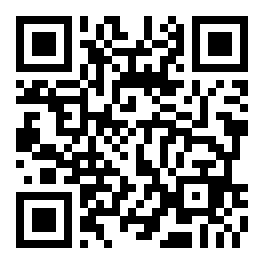
Scan to download
App vs Browser – What You Get
Both the sq446 app and the browser version let you play the full game library, but the app gives you a tighter experience on a small screen. Here is an honest side-by-side so you know what to expect before you install.
| Feature | sq446 App | Mobile Browser |
|---|---|---|
| Push notifications for match results & bonuses | Yes – instant alerts | Not available |
| One-tap bKash / Nagad deposit | Yes – stored payment shortcut | Requires re-entering details each time |
| Biometric login (fingerprint / face) | Yes – supported on most Android 8+ | Not supported |
| Live cricket score overlay | Picture-in-picture widget | Score shown in page only |
| Full game library (slots, live casino, crash) | All games available | All games available |
| Offline balance & bet history cache | Cached locally | Needs live connection |
| Auto-update with one tap | In-app update prompt | Browser always uses latest version |
| Deposit minimum | ৳200 | ৳200 |
| Withdrawal processing time | 32 minutes (same as web) | 32 minutes |
| iOS support | Add to Home Screen (PWA) | Full browser support |
iPhone users: use Safari's "Add to Home Screen" for a near-native experience. Full native iOS app coming in a future release.
Install on Android: 5 Steps
-
1Allow Unknown Sources
On your Android phone go to Settings → Security (or Privacy on newer devices). Find "Install Unknown Apps" and toggle it on for your browser or file manager. Without this, the system will block the APK. You can turn it off again after installation if you prefer.
-
2Download sq446.apk
Tap the "Download APK" button on this page. Your browser will save sq446.apk (41 MB) to your Downloads folder. On a good mobile connection this takes about 15–30 seconds. Make sure you have at least 100 MB of free storage before you start.
-
3Open the APK File
Pull down your notification bar and tap the completed download, or open your file manager and navigate to Downloads → sq446.apk. Android will show an install prompt. If a warning says "Unsafe app", tap "Install anyway" – this appears for all sideloaded APKs, not just sq446.
-
4Confirm & Install
Tap "Install" on the system prompt. The installation takes around 10 seconds. When you see "App installed", the sq446 icon will appear on your home screen and app drawer. You do not need to restart your phone after installation.
-
5Log In or Register
Open the sq446 app and tap "Log In" if you already have an account, or tap "Register" to create one in under two minutes. New players automatically qualify for the 120% welcome bonus on their first deposit via bKash, Nagad, Rocket, or Bank Transfer.
iPhone / iPad – Add to Home Screen
There is no iOS APK. Instead, open sq446.lat in Safari and add it to your home screen for a full-screen, app-like experience.
-
1Open in Safari
On your iPhone or iPad, open Safari (not Chrome or Firefox) and navigate to sq446.lat. This must be Safari for the "Add to Home Screen" option to appear.
-
2Tap the Share Icon
At the bottom of the screen tap the Share button (a box with an upward arrow). A menu slides up from the bottom with sharing and browser options.
-
3Add to Home Screen
Scroll through the Share menu and tap "Add to Home Screen". Give it the name "sq446" and tap Add. The icon appears on your home screen exactly like a native app.
-
4Launch & Play
Tap the sq446 icon from your home screen. The site opens full-screen with no browser bars. Log in or register, deposit via your payment method, and start playing – all without an App Store download.
What You Can Play Inside the App
Every game on the full sq446 casino is available in the app. Here are the main categories, with a note on what plays best on a small screen.

Over 1,000 slot titles from Habanero, FA Chai, JILI and Playtech. Fan favourites like Ocean Phoenix (RTP 96.5%) and Prosperity Fortune Tree (RTP 97.5%) are optimised for portrait orientation, so you do not need to rotate your phone. Min bet starts at ৳2.

Evolution-powered live tables stream in HD directly into the app. Play Baccarat, Roulette, Blackjack and Dragon Tiger with real dealers. The app buffers the stream efficiently even on a 4G connection, so you get a smooth session on the commute or at home.
Spribe's Crash is the most-played game on sq446 mobile. Watch the multiplier climb and cash out before it crashes. The tap-to-cash-out button is large enough to hit accurately even mid-commute. Auto-cashout works in the background if you lock your screen.
BPL, IPL, T20 and ODI markets update in real time inside the app. 1X2, over/under and player performance markets are all available. The live score overlay sits in the corner while you browse other bets – useful when Bangladesh are chasing a target in the last five overs.
Pool Rummy by Sexy Gaming (RTP 97.3%) and other card games are built for mobile play – the touch controls let you pick, fold and bet with single taps. If you are new to card games, the Teen Patti guide explains the rules step by step.
Fishing Kui Li (Spribe, RTP 97.1%), Shade Dragon Fishing (Playtech, RTP 96.8%) and Cat Fishing (Playtech, RTP 97%) are all touchscreen-native. Aim and shoot with your finger. Bet as little as ৳1 per shot, up to ৳20,000. Ideal for a session when you have 10 minutes to spare.
Version & System Requirements
| Specification | Details | Notes |
|---|---|---|
| App Version | 3.5.7 | Always download from this page for the latest build. |
| File Size | 41 MB | Keep at least 100 MB free on your device before installing. |
| Minimum Android | Android 7.0 (Nougat) | Works on Android 7.0 through Android 14. Not tested on custom ROMs. |
| Last Updated | 2026-11-10 | Update prompts appear inside the app when a new version is ready. |
| Price | Free | No subscription. No install fee. Deposits start at ৳200. |
| Language | English & Bangla | Switch language in the app settings at any time. |
| iOS | PWA via Safari | Use "Add to Home Screen" in Safari on iPhone/iPad. |
| Internet Required | Yes – 4G or Wi-Fi | Live casino and sports need a stable connection. Slots run on slower speeds. |
Security & Permissions
The sq446 APK only requests the permissions it actually needs. Here is what each permission does and why it is there.
All data between the sq446 app and our servers is encrypted with TLS 1.3. Your bKash PIN, account password, and withdrawal details are never sent in plain text. The connection is verified by an SSL certificate – the same standard used by banks in Bangladesh. You can verify the padlock in any browser session too.
The APK requests three permissions: Internet (to load games and process payments), Notifications (optional – for bonus alerts and match results), and Biometric (optional – for fingerprint login). The app does not access your contacts, SMS, microphone, camera, or location. You can deny notifications and biometrics and still use every feature.
Every build of sq446.apk is signed with our developer key before it is published. Android checks this signature at install time – if the file has been modified after signing, the install fails automatically. Only download sq446.apk from sq446.lat/sq446-app/. Files from third-party APK sites may have been tampered with and are not supported.
Your account is protected by a password and optional biometric login. Before your first withdrawal, KYC verification is required: submit a National ID Card (NID), Passport, or Driving Licence. The review takes up to 6 hours. KYC protects your account from unauthorised withdrawals. First-time withdrawals are released within 2 hours of KYC approval.
Fix Common Install Problems
Most install issues come down to one of five causes. Check the table before contacting live support – it will save you time.
| Problem | Most Likely Cause | How to Fix It |
|---|---|---|
| "Install blocked" or "Not allowed" message | Unknown Sources (sideloading) is not enabled in Settings. | Go to Settings → Security → Install Unknown Apps. Enable it for your browser or file manager. Try the install again. You can disable this permission after the app is installed. |
| "Parse error" during installation | The APK file is incomplete – the download was interrupted before it finished. | Delete the partial sq446.apk file from your Downloads folder. Return to this page, tap Download APK again, and wait for the full 41 MB to download before opening it. Check your storage – you need at least 100 MB free. |
| App installs but crashes on startup | Android version is below 7.0, or the device has very limited RAM (under 1 GB). | Check your Android version in Settings → About Phone. If it is below 7.0, the app is not compatible – use the mobile browser version at sq446.lat instead. If the version is 7.0+, force-stop the app, clear its cache, and relaunch. |
| Games load but go blank / black screen | WebView is outdated. Some older Android 7–8 devices ship with an old WebView that cannot render modern game engines. | Open Google Play and search "Android System WebView". Update it to the latest version. Restart the sq446 app. If the problem continues, try a different game category – fishing and slots are lighter than live casino streams. |
| bKash deposit not credited after payment | The payment reference was entered incorrectly, or the app was closed before the transaction confirmed. | Check your bKash transaction history to confirm the payment left your account. If it did, copy the transaction ID and open Live Chat inside the app. The finance team will credit your balance within 15 minutes once the reference is verified. Never deposit without noting the reference number. |
Questions Players Ask About the App
Is the sq446 APK safe to install on my Android phone?
Yes. The sq446.apk file is signed with a developer key and scanned before each release. Android verifies the signature automatically during installation – a modified file would fail the check and the install would stop. Only download from sq446.lat/sq446-app/ to make sure you have the official build. Third-party APK mirror sites are not vetted by us and are not safe.
Why can I not find sq446 on the Google Play Store?
Google Play does not allow real-money casino apps in most markets, including Bangladesh. This is a Google policy, not a problem with sq446. The direct APK download is the standard method used by all online casinos that serve Bangladeshi players. The app works identically to a Play Store app once installed – it updates itself and can be uninstalled through your normal app settings.
How do I update the sq446 app when a new version is released?
When a new version is available, the app shows an update prompt the next time you open it. Tap "Update Now" and the app downloads and installs the new APK automatically in the background – you do not need to come back to this page. You can also check the current version under Settings → About inside the app. The latest build is always version 3.5.7 as of 2026-11-10.
What if the app is not compatible with my phone?
The sq446 app supports Android 7.0 and above. If your phone runs an older version of Android, open sq446.lat in Chrome or the built-in browser – you get the same game library and payment options without installing anything. iPhone users should use Safari and add the site to their home screen for a full-screen experience. If you are unsure about your Android version, go to Settings → About Phone → Software Information.
Can I use the same account on both the app and the browser?
Yes. Your sq446 account works across all platforms – Android app, iOS Safari, desktop browser, or any other device. Your balance, bet history, bonuses, and VIP progress are all synced in real time. You can start a session on your phone on the commute, then continue on a laptop at home with no interruption. Just do not share your login details with anyone else.
How do I deposit and withdraw money through the app?
Tap the wallet icon at the top of the app to open the cashier. Deposits via bKash, Nagad, Rocket, and Bank Transfer are credited within 3 minutes. The minimum deposit is ৳200. Withdrawals are processed in 32 minutes on average; the minimum withdrawal is ৳900 and the maximum per day is ৳55,000. For a full walkthrough, see the deposit guide.
Do I need to complete KYC verification before I can play?
You can register, deposit, and play without completing KYC. KYC is only required before your first withdrawal. Submit a National ID Card, Passport, or Driving Licence through the app's verification section. The review takes up to 6 hours. Once approved, your first withdrawal is released within 2 hours. Completing KYC early saves you waiting time when you are ready to cash out. See the withdrawal and KYC guide for step-by-step instructions.
Play Within Your Limits
The sq446 app includes deposit limits, session timers, and self-exclusion tools in your account settings. Gambling is entertainment. If it stops feeling that way, take a break. You can set daily deposit limits directly inside the app at any time.
Next Steps After Installing
Once the sq446 app is on your phone, these pages will help you get started quickly.